Deltos
a notepad with tabsEvery tab lives inside one file on disk — the same idea as an Excel workbook holding many sheets, but for plain text. Open the file, every tab is there. No scattered notes.
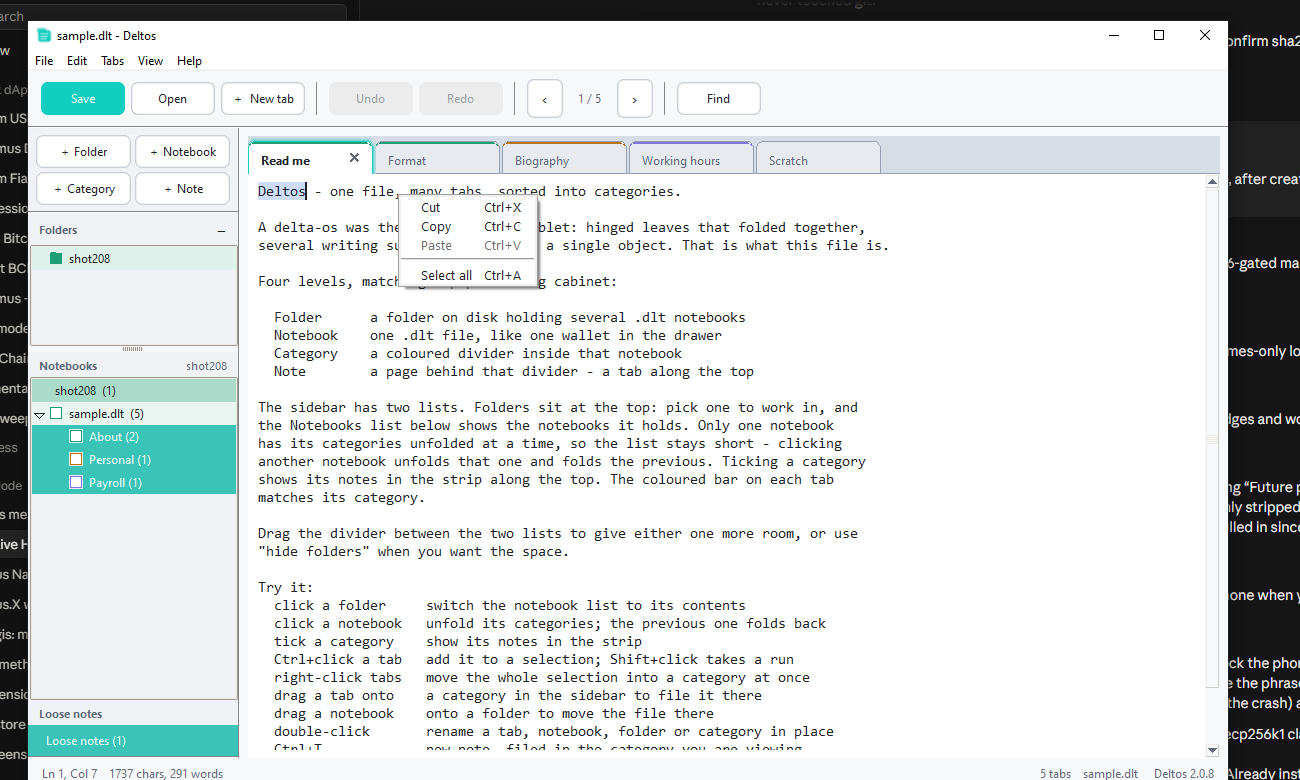
Four levels, matching a paper filing cabinet
- Archive
- A folder holding several
.dltfiles. - Notebook
- One
.dltfile, like one wallet in the cabinet. - Category
- A coloured divider inside the notebook.
- Tab
- A page behind that divider.
Tick a category to show its documents; tick several to see them together. Drag a tab onto a category to file it. Each category picks its own colour.
The file is yours
A notebook is a .dlt file: readable UTF-8 JSON, so it diffs and
greps fine and you can recover the text with any editor if you ever want out.
{
  "format": "Deltos",
  "version": 1,
  "active": 0,
  "tabs": [
    { "name": "Shopping", "content": "oat milk\nbread\n" }
  ]
}
An archive (.dlx) is just a ZIP. Rename it to
.zip and your notebooks are right there — the same promise the
readable JSON makes.
The name
A delta-os was the Greek writing tablet: hinged leaves that folded
together, several writing surfaces bound into a single object. That is what a
.dlt file is.